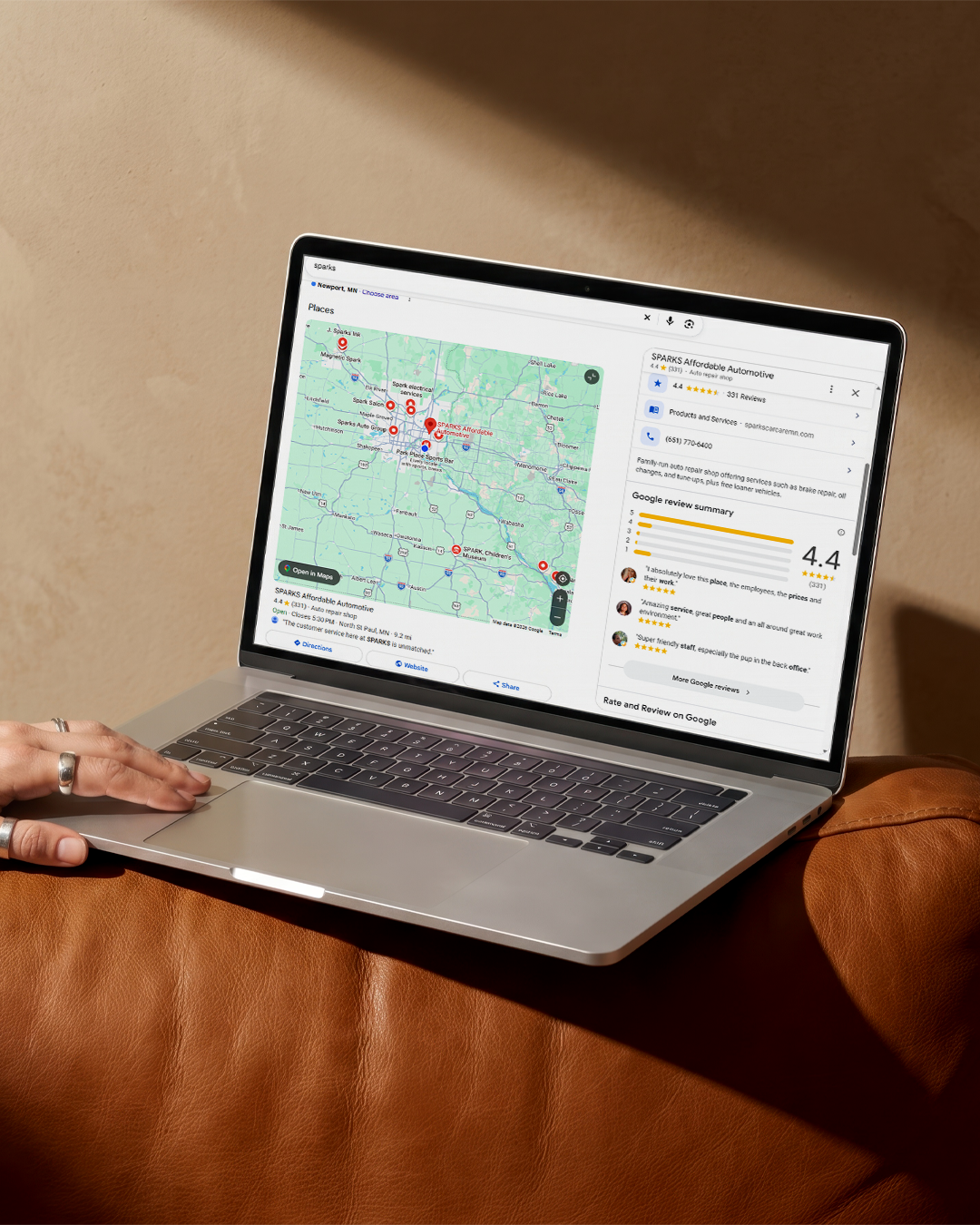
Your target customers are out there searching for businesses like yours. The best way to turn those online local searches into actual sales is to rank higher in the results. A higher ranking means more eyes on your business and more potential sales.
To get there, try these methods to increase Google Business Profile traffic, from choosing the right categories to leveraging online reviews.
Master The Basics To Boost Your Local Visibility
If you browse Google Business Profiles, you’ll notice very quickly that many of them are not 100% complete. Even among businesses that have claimed Profiles, they’re often missing details like their website, store hours, or address — all things potential customers might want to know.
Take a look at your current Google Business Profile. Are there empty fields? Fill them in now. It may seem like a small thing to complete your Profile 100%, but this “low-hanging fruit” is actually one of the easiest and most effective ways to optimize a Google Business Profile. Google favors Profiles that contain all the information customers searching online might want.
Double-check your core business information, too. Your business name, address, and phone number (NAP) should be the same across your Google Business Profile, website, and any other online directory listings. NAP consistency signals to Google and other search engines that your business details are more trustworthy.
Local listing management services can help you stay on top of your directory listings.
Choose The Right Categories For Better Search Matching
One of the sections of Google Business Profiles that’s easy to overlook is the business categories. Google lets you select one primary business category (a description of what your business is, not what you sell) and up to 9 secondary categories from a list of thousands of options.
Don’t make the mistake of only selecting a primary category. While your business’s primary category is the most important ranking factor in local searches, secondary categories can also help your rankings in niche searches. Choose at least two secondary categories that describe additional core services your business offers.
Your auto repair shop should choose auto repair as its primary category, then get more specific in the secondaries. Do you specialize in brakes and transmissions? Choose "brake shop." Are you more of a generalist shop? Choose "car inspection station," "wheel alignment service," and any other relevant options. These will up your chances of getting your business in front of customers searching for those specific services. Peruse the
Google My Business categories for auto repair to find a few secondary categories that fit your business.
Drive Engagement Using Google Posts And Updates
The last thing you want is for a customer to open your Google Business Profile and wonder whether any of the info is even accurate. With no updates or recent activity, your business seems less trustworthy and interesting. Customers may look to competitors instead.
Avoid this problem by regularly sharing content on Google Posts. It might seem strange, but you can (and should!) use Google Posts like social media, posting at least once a week to keep customers engaged.
There are three types of posts to choose from:
A “what’s new” update can be anything you want your customers to know that’s changed about your business. For example, you could share an update that your business will be closed for an upcoming holiday, so no customers will mistakenly show up and get frustrated.
Offer posts let you share promotions with start and end dates, coupon codes, and links for customers to redeem the offer. Think of how much more appealing your Google Business Profile will seem with rotating offers displayed there. Grab customers’ attention at a glance by incorporating these posts into your Profile.
Turn Your Reviews Into A Traffic Magnet
Reviews are possibly the most impactful part of your Google Business Profile. The challenge for customers searching for businesses online is deciding which ones they can trust and which will deliver a worthwhile customer experience. Reading reviews helps make that decision.
About 98% of customers rely on online reviews to inform their purchasing decisions. In other words, you really need to pay attention to your reviews and take steps to ensure they represent you well.
Lots of recent reviews contribute heavily to your Profile rankings. Encourage customers to share their experiences with your business through reviews. Google views a high volume of reviews as a sign your business is trustworthy and popular, which can even help offset proximity in search rankings. Recency shows Google your business is currently active and relevant.
Respond to Reviews
Many
Google Maps marketing guides forget to mention you should always respond to reviews. A response makes customers feel seen and even encourages more reviews.
Around 70% of customers say they’re more likely to write a review for a business when they see the business owner respond to reviews.
Respond to both positive and negative reviews:
- Positive reviews:
Thank the customers for their reviews and personalize your response with their names and specific details.
- Negative reviews:
Stay professional and offer potential solutions that might resolve the issue the customer experienced. If necessary, direct the conversation offline to continue privately.
Responding to negative reviews gives you a chance to improve that unhappy customer’s experience and show other shoppers you’re committed to making things right. These responses can go a long way to showing how trustworthy your business really is.
Use Visuals And Q&As To Build Instant Trust
Another area of your Google Business Profile that can pack a big punch is the images section. Too many businesses only add a couple of photos or leave them out entirely, but that’s a huge missed opportunity.
Try to add some or all of the following photos:
- The interior and exterior of your store
- Your team in action, helping customers
- Your business logo
- Behind-the-scenes photos
- Results of your work
- Anything else that represents your business
Customers browsing your Profile love to see images. Seeing your store, your team, and other details about your business makes customers trust you more, increasing the likelihood that they’ll purchase something from you.
Make sure the photos are well-lit, high-resolution, and realistic without any heavy filters or editing.
Add some questions to the FAQ section of your Profile, too, by clicking the
Ask a question button after searching for your business on Google Maps. You can then answer those questions with an official response, helping customers find the information they need about your business.
Track Your Growth And Keep The Momentum Going
Once you make these changes to your Profile, you can track your local search success in the Performance tab of Google Business Profile. You’ll have access to key metrics like:
- How users discover your listing
- The number of users who clicked the Call button on your Profile
- The volume of direct messages sent to your Profile
- The volume of reservations or appointments through your listing, if you integrate a scheduling tool
- The number of users who requested driving directions to your physical address
- The number of times users clicked the link to your website
Optimize Digital Marketing has even more tools and expertise to help you grow your business’s visibility in online searches.
Contact us today to get started on a customized digital marketing plan for your business.