A website is more than a fancy brochure with your services and contact details. It's the face of your business, and it can make the difference between customers scheduling an appointment or scrolling past.
Making a website for a small business involves more than picking a domain name and designing a few pages. You should also consider marketing goals like lead generation and search engine optimization (SEO) from the very beginning.
Why Your Website Is Your Hardest Working Employee 24/7
When customers need help, they usually don't phone a friend or drive around looking at storefronts. They head straight to the internet. A
2025 SOCI report found that 80% of customers use Google Search to find local businesses.
A website is your virtual signpost in the search results. It tells searchers, "We're here, and this is what we have to offer." That quick visibility encourages them to stop scrolling and take a closer look at your business.
Unlike human employees, a website can answer questions and gather leads around the clock. If someone searches for "grinding brakes" at 11 pm, your site can reassure them that you're the right auto shop to fix it.
Building a website also gives you more control over your business's image. You may already have a Google Business Profile or a Facebook account, but those platforms limit what you can share. With a website, you decide what information to include and how to organize it. That helps you make a strong impression before your first conversation.
Picking the Right Platform for Your Business Goals
An excellent website design for a small business doesn't just look modern and pretty. It also plays a major role in SEO. Search engines tend to favor sites that are easy to get around and give visitors a good experience. Meanwhile, clunky or outdated sites usually rank lower in the search results.
The good news is that you don't need to know how to write a single line of HTML to design an SEO-friendly website. DIY builders like WordPress and Squarespace make it easy for anyone to create a professional site. They have many templates for different aesthetics, along with drag-and-drop builders. You could make a basic site in a day or two.
DIY platforms are affordable and convenient, but they come with a few drawbacks. For one, they have limited options for customization, especially if you don't have coding experience. That might not matter if you only need a simple site, but you may not be able to add more advanced features. You also have to update and troubleshoot everything yourself.
For more custom work, consider partnering with a web design agency. They can build every page from scratch, so your site has all the content and features you need. Plus, you won't have to worry about accidentally choosing the same template as a competitor.
A professional designer will prioritize your local SEO strategy and user experience design from the start. For example, a professional agency may focus on
page speed for SEO, so every page loads in a blink. That's often more effective than trying to figure out why a site isn't getting results later.
Agencies also frequently handle maintenance and web hosting for small businesses. If your site goes down or a security certificate expires, let the professionals fix it.
Essential Pages Every Customer Expects To See
Every small business website needs a few key pages to appeal to customers and keep them informed.
The home page is usually the first place visitors land. Resist the urge to cram a lot of information into this page. A cluttered or overwhelming design might scare away potential customers.
Instead, the home page should briefly touch on all the basics: what you do, what makes your auto shop special, and why they should trust you. For instance, you might include a short list of your most popular services and a quote from a happy client.
Other must-have pages include:
- About: Humanize your business by telling your story and introducing your team. For example, Rooney's Auto and Tire Center's
About page features a photo of smiling employees, along with a short mission statement. This page helps visitors understand your company's guiding values and what makes it stand out.
- Services: List your services with more detailed descriptions. Some auto shops include price ranges, while others require consultations.
- Contact:
Give customers a few ways to get in touch, such as email and phone.
Many small businesses also include testimonial pages with videos or quotes from customers. When visitors see evidence of your expertise, they're more likely to trust you.
Nailing the Mobile Experience for People on the Go
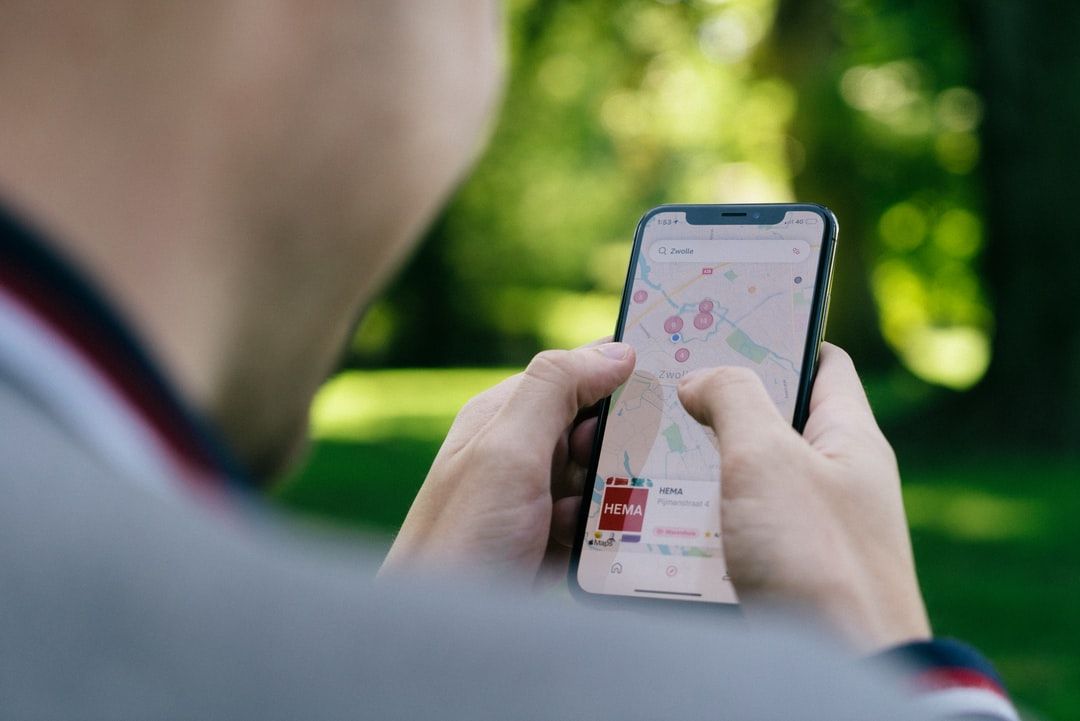
Most people search for local businesses on their smartphones, especially if they're dealing with a roadside emergency. The dominance of mobile browsing is one reason that Google uses
mobile-first indexing to evaluate and rank sites. While the desktop version still matters, it has less influence on search visibility.
Designing a mobile-friendly website will help you improve the user experience for all visitors, no matter what device they use. Start by choosing a mobile-first template that automatically adjusts to different screen sizes. If you partner with an agency, they can code a responsive website from the ground up.
Keep the design simple. The top menu should only include a few key pages so users don't have to scroll to find what they need. Make sure links and call-to-action buttons are big enough to tap with a finger, too. No one wants to zoom in to try to click a tiny button.
On the pages themselves, use plenty of white space to give your content room to breathe. Organize text into short paragraphs and lists. That makes it easy for visitors to skim the pages and find exactly what they need.
And don't bog down your site with too many images and videos. This content might be eye-catching, but it can slow down loading times, especially if you don't compress the files. It's better to choose a few meaningful pieces of content that are properly sized for small screens. You can always share the rest on social media.
Turning Passive Visitors Into Prepared Customers
While visitors should enjoy reading your site, that's not the end goal. You also want them to become paying customers, or at least move closer to making a decision.
Encourage them to take the next step by placing at least one call-to-action button on every page. This text should be concise and action-oriented, so there's no question about what they should do next. Here are a few strong call to action examples:
- Book a free consultation.
- Get $20 off your next tire rotation.
- Join our mailing list.
- Schedule an oil change.
An online appointment system makes it easy for customers to take action. It also boosts productivity, because your employees will spend less time taking phone calls.
Add a contact form for more general inquiries, too. That gives visitors a convenient way to ask non-urgent questions, like "Can you special order track tires for me?"
Building Your SEO Foundation From Day One
It's easy to get distracted by color palettes and other aesthetics, but prioritize SEO first. After all, a stunning website isn't much use if no one can find it.
Keyword research is an essential part of
local digital marketing for small businesses. Determine what customers input when they search for nearby services, and weave those keywords into your content. A Google Business Profile can also boost your visibility.
Optimize Digital Marketing can help you build an SEO-optimized website that wins over visitors.
Contact us to learn more about our website design and development services.